



FITIV Pulse 10.13 Is Here: Google Health Integration Upgrades Your Fitbit Training





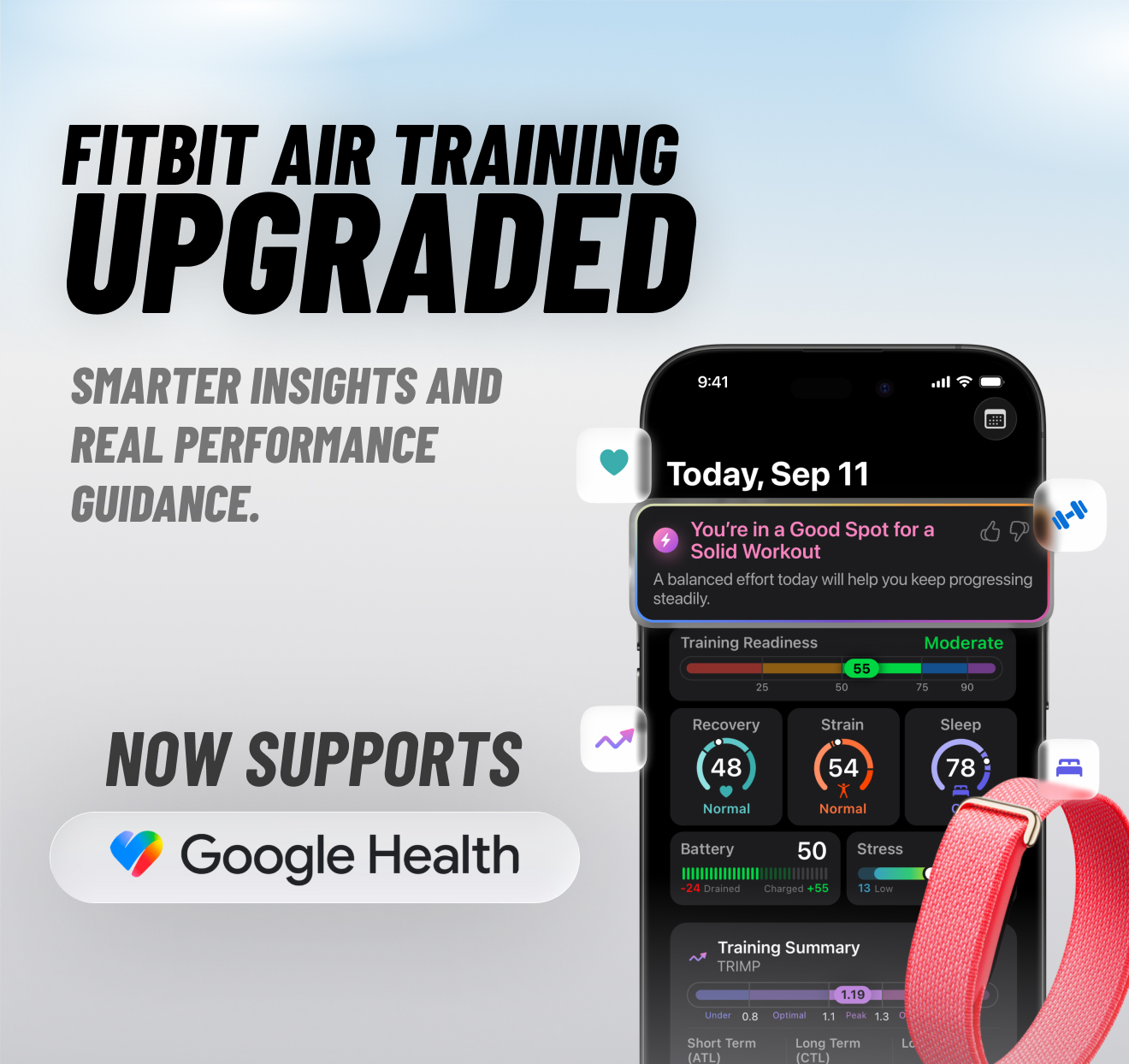
FITIV Pulse 10.13 is live, and it brings FITIV to Fitbit users through a direct Google Health integration. Your Fitbit tracks it. FITIV tells you what to do with it: when to push, when to recover, and how to get more out of every workout.
TL;DR
- Google Health integration is live: connect your Google Health app and bring in workouts, steps, sleep and heart rate from your Fitbit
- All day: one Training Readiness score that tells you how hard to train today
- While you train: live Heart Rate Zones, sets and reps tracking, live coaching and custom intervals
- Overnight: Recovery and Sleep scores built from your Fitbit data
- Your FITIV workouts save back to Google Health
- Also new: workout source labels, template folders, Start Empty Session and faster exercise search
- Update now on the App Store
What's New with Google Health?
Go to More (•••) > Google Health, sign in with your Google account, and FITIV starts reading the workouts, steps, sleep and heart rate your Fitbit syncs to Google Health.
The sync works in both directions. With Workout Sync set to Auto, every workout you finish in FITIV saves to Google Health with its full data. Set it to Manual and send individual workouts from the workout summary. Strength training data stays in FITIV.
Wear an Apple Watch too? Choose which source FITIV uses for each metric, so nothing gets counted twice.
How Does FITIV Upgrade Your Fitbit Training Experience?
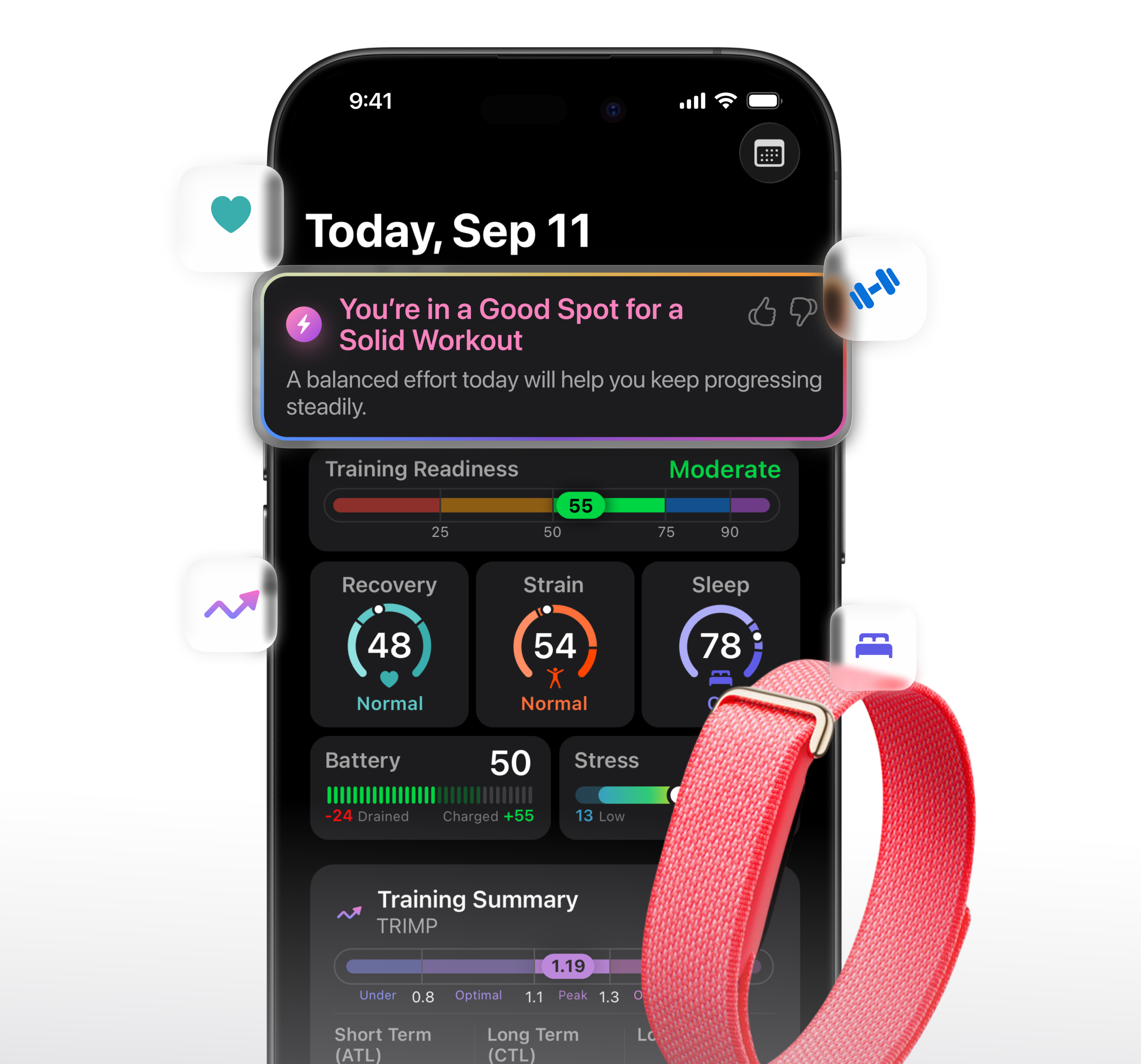
Fitbit is great at collecting data. FITIV turns that data into a plan for your day. Here's what changes once your Fitbit is connected.
All day: Training Readiness. Now you know when to push and when to recover. Wake up to one clear score that tells you how hard to train today, and it keeps adapting as your day goes on.
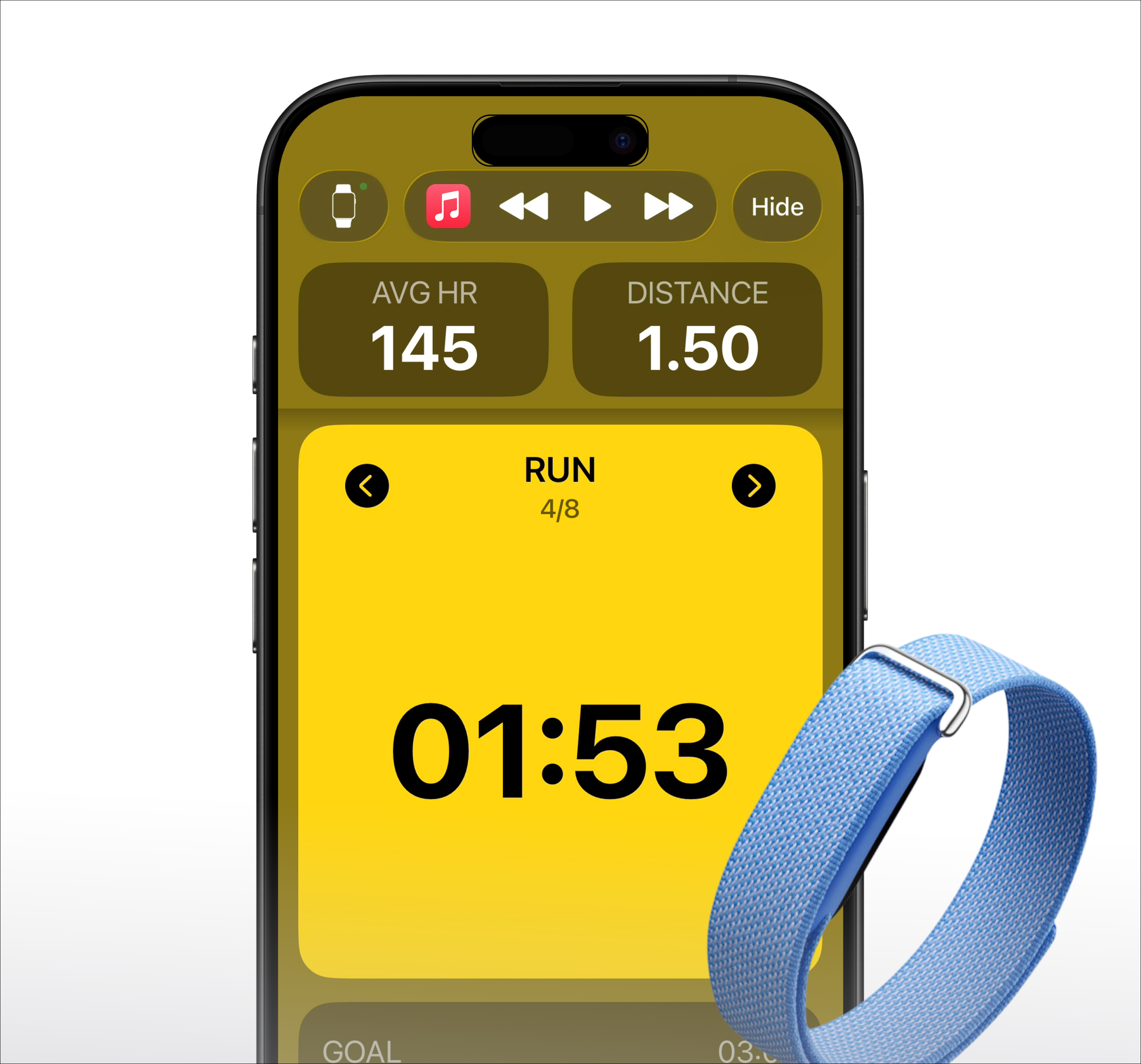
While you train: a live workout experience built around you. Train with live Heart Rate Zones, sets and reps tracking, live coaching, custom intervals and your own zones. Build any workout your way, then see Strain and Training Load when you finish. Live heart rate works with all supported Fitbit devices.
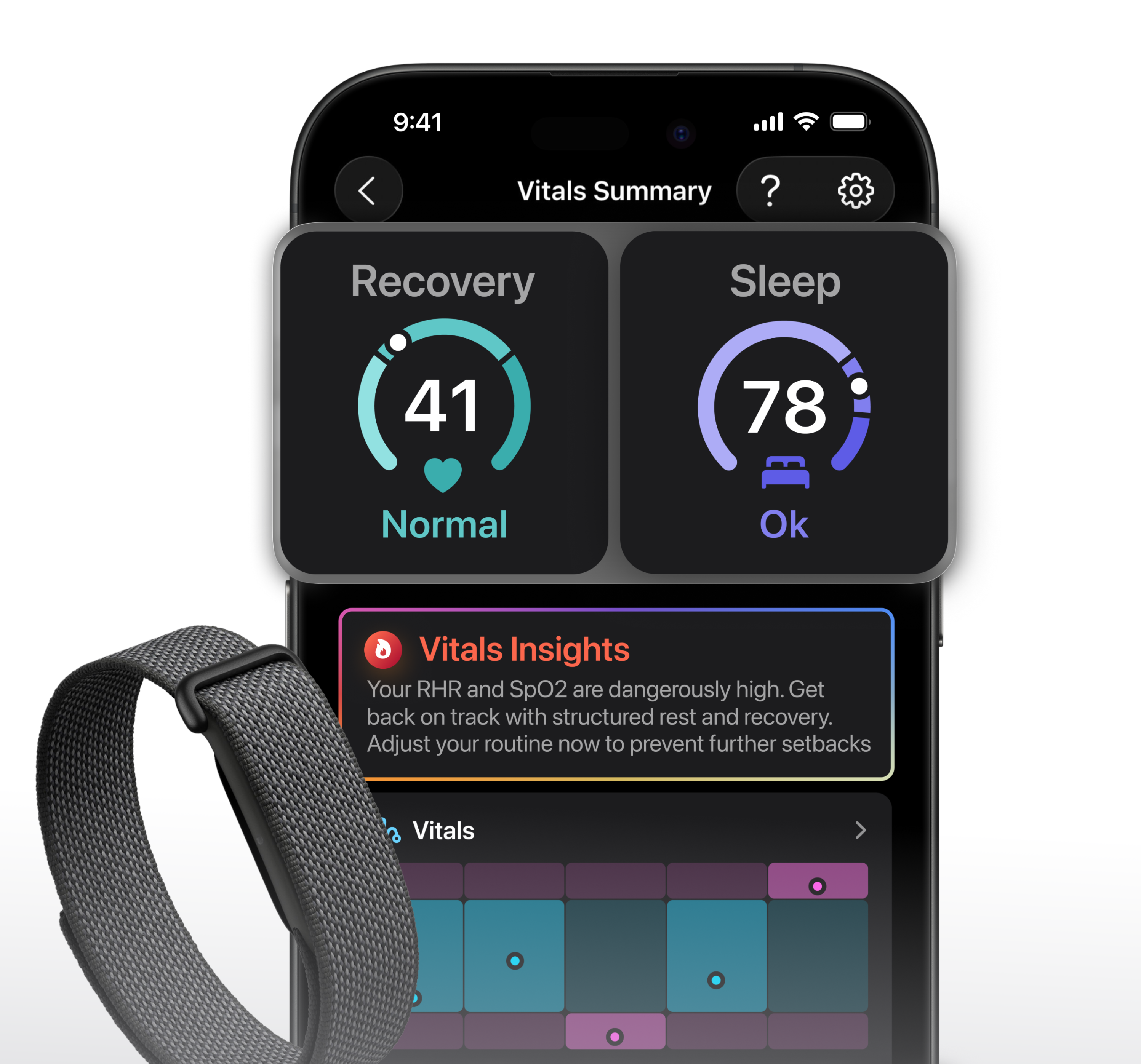
Overnight: know how well you recover. See how well you slept and how recovered you are, with Recovery and Sleep scores built from your Fitbit data. Your scores calibrate with the data your device provides, so the more you wear it, the more personal they get.
What If I Used the Old Fitbit Connection?
The old Fitbit connection is no longer available starting with 10.13. To keep your Fitbit data flowing into FITIV, connect Google Health from the More tab. It takes a couple of minutes.
What Else Is New in 10.13?
See where each workout came from. Every workout card now shows the app and device that recorded it, for example "FITIV Pulse - Apple Watch Ultra 3" or "Google Health - Fitbit Air". That covers Apple Watch and iPhone, heart rate sensors, earbuds and fitness bands, including workouts you imported before.
Organize your templates. Group your weightlifting templates into folders like Push Pull Legs or Upper / Lower. Not following a plan today? Tap Start Empty Session and add exercises as you go.
Find exercises faster. Search with the shorthand you already use at the gym, like RDL. Pick from 44 new exercises, and if one is still missing, create your own right from the search.
Improvements and bug fixes, including a fix for a crash some iPhone users saw when opening their sleep report.
How Do I Get 10.13?
Update through the App Store. Your settings, templates and history carry over automatically. The Google Health integration is available on iPhone with FITIV Pro Membership. Update FITIV Now
For setup help, see our Support Article
Enjoying FITIV? A quick review on the App Store helps other Fitbit users find us. Write a Review
- The FITIV Team
.png)
.jpg)