
FITIV Pulse + Apple Watch: The Complete Integration
FITIV Pulse is built around Apple Watch. It draws on the watch's optical heart rate sensor, GPS, and accelerometer for workout recording and route tracking, heart rate zone tracking, HRV monitoring, and recovery scoring.
What Apple Watch Data FITIV Uses
Heart Rate & HRV
FITIV reads continuous heart rate data from your Apple Watch throughout the day and during workouts. For HRV, it calculates RMSSD, the standard HRV measurement, from the watch's beat-to-beat data. That feeds your daily Recovery score and your Training Readiness score.
Supported models: The FITIV Apple Watch app requires watchOS 10 or later, which runs on Apple Watch Series 4 and later, Apple Watch SE, and every Apple Watch Ultra. The iPhone app requires iOS 17 or later.
GPS
Every Apple Watch that runs FITIV has built-in GPS, so when you run or ride with just your watch, FITIV still logs the full route map, your pace and distance, and elevation.
Workout Recording
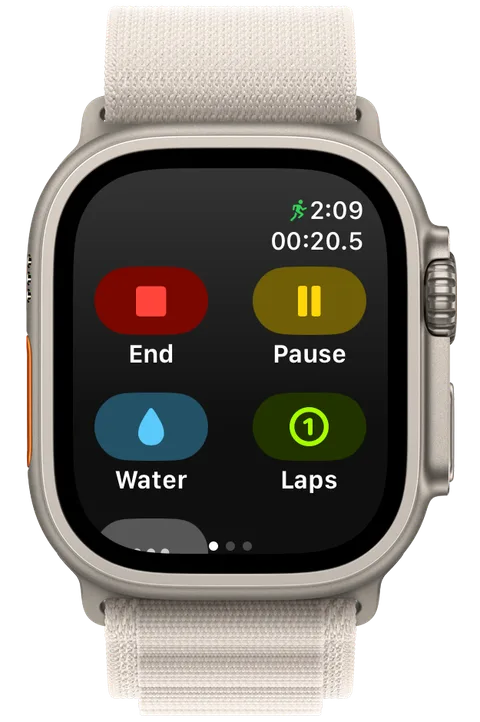
FITIV records workouts directly on Apple Watch, and the watch app works on its own, so you can leave your iPhone behind. Each workout captures:
- Heart rate throughout the workout
- Calories burned
- Duration and splits
- Zone time distribution
Setting Up FITIV with Apple Watch
- Download FITIV Pulse from the App Store on your iPhone
- Install the FITIV Apple Watch app (it installs automatically if your iPhone is set to install watch apps automatically; otherwise add it from the Watch app on your iPhone, as the help center's Getting Started With FITIV on Apple Watch guide shows)
- Grant Apple Health permissions so FITIV can read heart rate, HRV, sleep, and workouts
- Wear your watch overnight so FITIV has the sleep and HRV data behind your Recovery and Training Readiness scores
To record a workout with your watch from the iPhone app, open the Workout tab, tap the device banner to open Workout Tracking, and choose Apple Watch. Watch-specific settings live under the More tab → Apple Watch: Heart Rate Zone Change Haptics, Complication Calorie Type (which calories your complications show), and Connect Bluetooth Sensor to Apple Watch, which opens the help center's step-by-step guide to pairing a chest strap with your watch.
FITIV also reads and writes to Apple Health, so your data syncs with other apps that use it.
Heart Rate Zones on Apple Watch
FITIV calculates your personal heart rate zones based on your age-predicted or measured maximum heart rate. To change how, go to More → Heart Rate and pick a Training Method (percent of maximum heart rate, heart rate reserve, or lactate threshold) and your maximum heart rate formula, or enter a measured max. During workouts, FITIV's workout screens on the watch show:
- Current zone (1–5)
- Time spent in each zone
- Heart rate trend
Seeing your zone in real time makes it easier to stay in Zone 2 (60–69% max HR) on long aerobic efforts. Forty minutes into an easy long run, your pace can creep up without you noticing. With Heart Rate Zone Change Haptics on, the watch taps your wrist as you move into a new zone, so you can ease back without looking.
HRV Monitoring with Apple Watch
Apple Watch measures HRV during sleep using its optical PPG sensor, and FITIV turns that data into three numbers.
The first is RMSSD (root mean square of successive differences), the standard metric for parasympathetic activity, where higher RMSSD means better recovery. It's FITIV's default HRV Formula, "FITIV (RMSSD)". You can switch it to "Apple Health" to use the HRV readings Apple saves instead (More → Today Tab).
Your Recovery score is a 0–100 score from last night's HRV, resting heart rate, and sleep, compared against your own typical range. Tap the Recovery gauge on the Today tab to see the Contributors behind it.
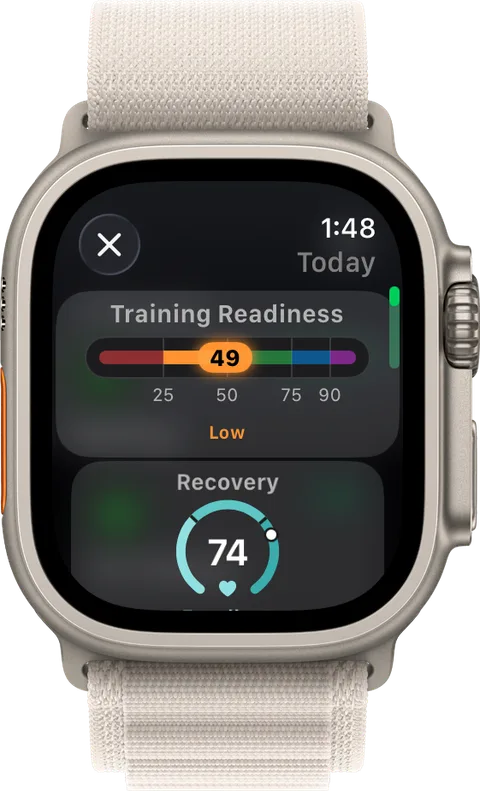
Your Training Readiness score, also 0–100, combines Recovery with recent strain, training load, and Battery. It sits on the Today tab and in FITIV's Apple Watch app, rated Poor, Low, Moderate, High, or Prime. Below 50 (Low or Poor), FITIV recommends light activity or rest; at 75 and above (High or Prime), it's a day to challenge yourself.
Recovery Score + Sleep
FITIV reads your Apple Watch sleep data, including duration and sleep stages, and uses it in your daily Recovery score alongside HRV.
Your Scores on Apple Watch
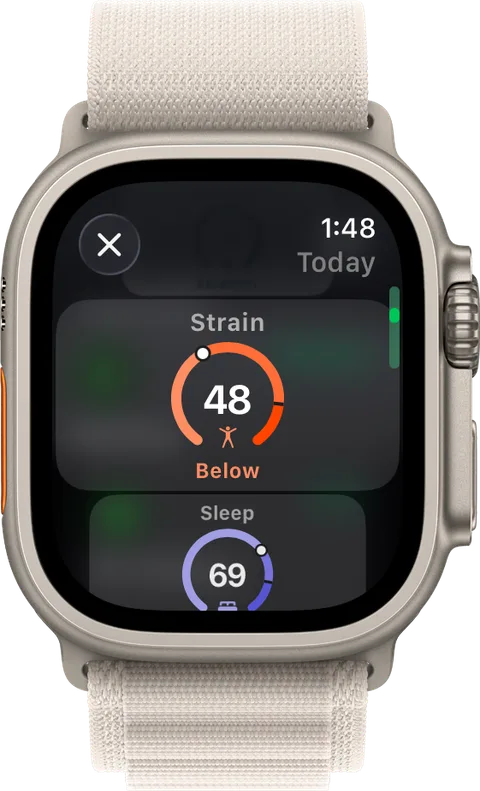
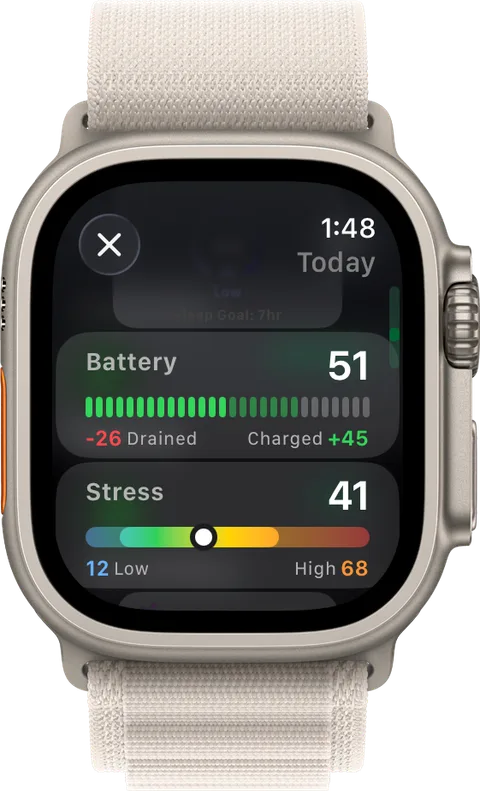
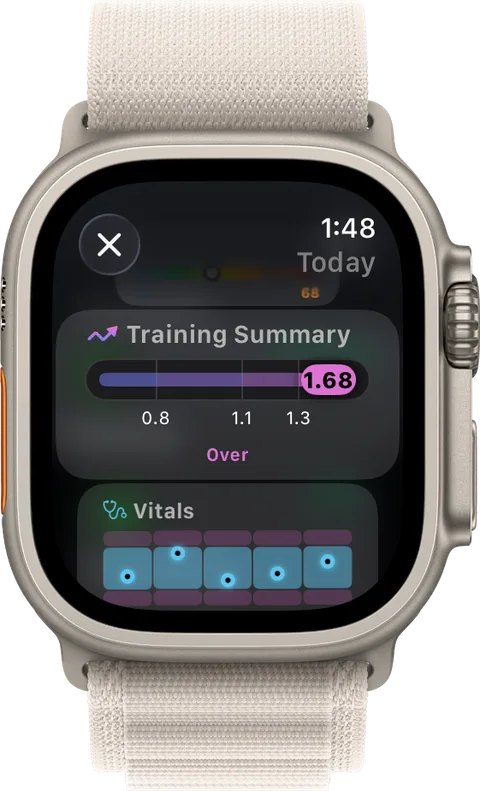
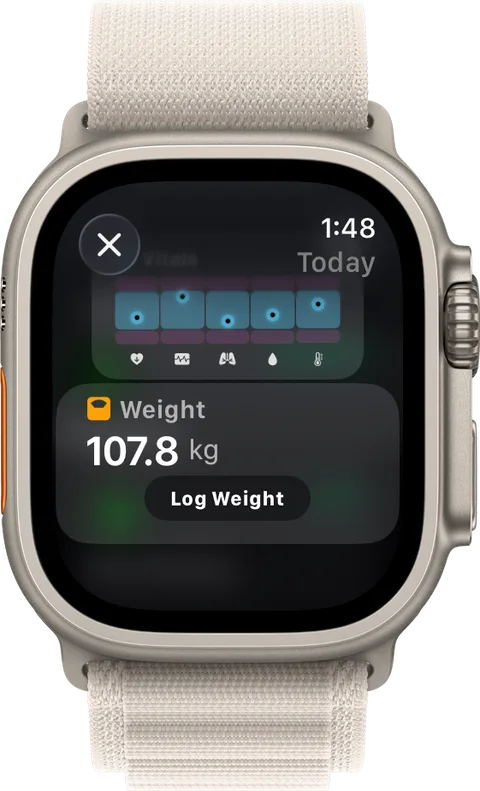
FITIV's Apple Watch app has its own Today screen, so you can check your day without reaching for your iPhone. Scroll through Training Readiness, Recovery, Strain, Sleep, Battery, Stress, your Training Summary and vitals, and your weight, where you can log a weigh-in. The cards follow what you've picked with Customize at the bottom of the Today tab on your iPhone, in the same order.
Apple Watch Complications
FITIV's watch complications let you check these at a glance (how to add and choose complications):
- Recovery, Strain, Sleep, and Training Readiness
- Training Load
- Battery and Stress
- A vitals summary
- Starting a walk, run, or ride, and your last workout
- Calories burned, calorie deficit, and macros
- Weight trend, goal progress, and your GLP-1 medication cycle
- FITIV Career progress
Frequently Asked Questions
Does FITIV work with Apple Watch without an iPhone?
You can record workouts on Apple Watch independently. The full analysis (HRV trends, recovery score, training load) syncs when you reconnect to your iPhone.
Which Apple Watch models are supported?
Any Apple Watch that runs watchOS 10 or later: Series 4 and newer, Apple Watch SE, and all Apple Watch Ultra models.
Does FITIV work with Apple Watch Ultra?
Yes. Apple Watch Ultra's dual-frequency GPS provides even more accurate route tracking for trail runs and cycling.
Can I use FITIV on Apple Watch without wearing it overnight?
Yes. Workout tracking works either way. But FITIV's Recovery, Sleep, and Training Readiness scores depend on the HRV, resting heart rate, and sleep data your watch records overnight, so overnight wear gives you much more complete scores.
Can I use a chest strap with my Apple Watch?
Yes. Pair a Bluetooth chest strap directly to your Apple Watch (watch Settings → Bluetooth), and the watch will use the strap for heart rate during workouts. Power meters and cadence sensors pair the same way, and FITIV shows their data during Apple Watch cycling workouts.