
FITIV Pulse connects directly to Garmin Connect. Link your Garmin account in FITIV and your Garmin workouts, sleep, heart rate, HRV, and overnight vitals flow into FITIV's Sleep, Recovery, Strain, and Training Readiness scores. For live heart rate and zones during a workout you record in FITIV, your Garmin watch can also broadcast its heart rate over Bluetooth.
How to Connect Garmin to FITIV
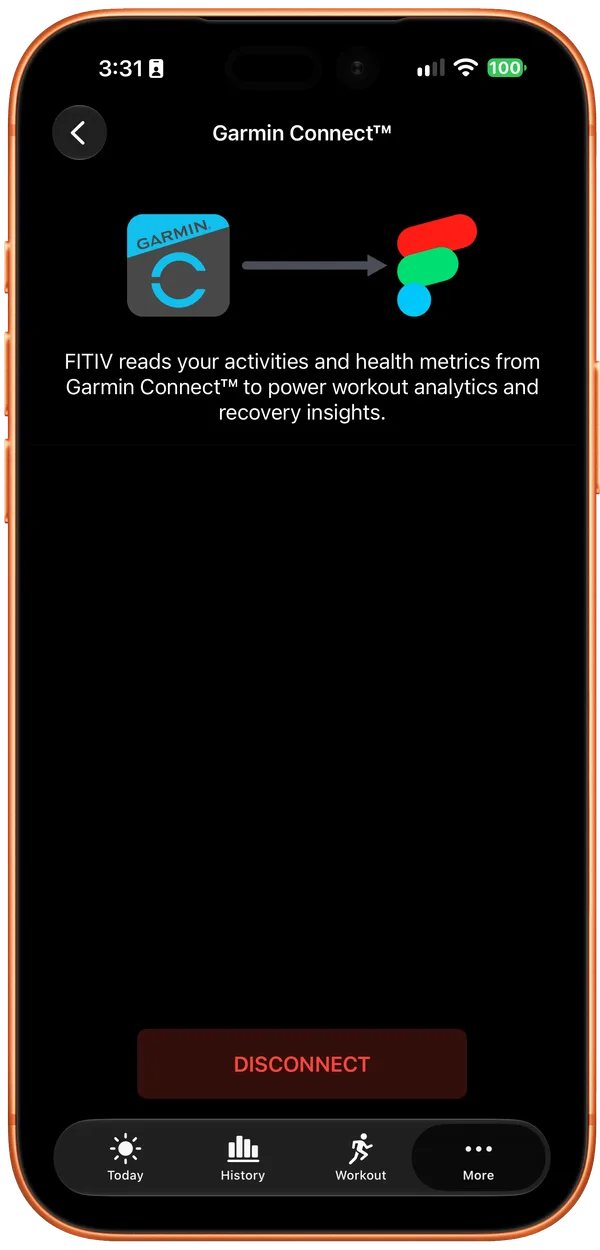
- Open FITIV on your iPhone.
- Tap the More tab (•••), then tap Garmin Connect™.
- Tap Connect. A Garmin page opens at connect.garmin.com.
- Sign in with the Garmin account linked to your watch, if asked.
- On Control the information you share, keep Activities and Daily Health Stats turned on, then tap Save.
- When Garmin asks you to connect with FITIV, tap Agree.
- FITIV returns to the Garmin Connect™ screen and starts syncing.
Garmin data starts flowing from the moment you connect. Activity and metrics from before that point stay in Garmin Connect and don't come into FITIV.
Your watch syncs to the Garmin Connect app as usual, and FITIV picks the data up from there, so nothing changes on the watch itself. If last night's sleep isn't in FITIV yet when you open it in the morning, open the Garmin Connect app first so your watch syncs. For more sync fixes, see the help center's Garmin Connect setup guide.
To unlink your account, open the same screen in FITIV and tap Disconnect. You can also remove FITIV's access anytime from your Garmin Connect account settings.
What FITIV Brings In from Garmin
Once you're connected, FITIV reads this data from Garmin Connect:
| Data | Where it shows up in FITIV |
|---|---|
| Workouts, with heart rate and GPS | Your workout history, marked with Garmin as the source |
| Sleep, including stages | Sleep score |
| Overnight HRV and resting heart rate | Recovery score and the Vitals card |
| Respiratory rate, blood oxygen, and skin temperature | Overnight Vitals |
| Heart rate through the day | Strain and Stress & Battery |
| Steps, calories, and weight | Steps, Energy, and Weight |
Which metrics you get depends on what your Garmin model measures. FITIV uses this data to calculate its own scores, and score screens that use Garmin data say so with a note at the bottom: "Insights derived in part from Garmin device-sourced data."
FITIV reads from Garmin but doesn't send anything back. Workouts you record in FITIV don't upload to Garmin Connect.
Garmin's Own Scores
Garmin's own scores, like Body Battery, Training Readiness, HRV Status, VO2 max, and Sleep Score, stay inside Garmin Connect and aren't shared with partner apps like FITIV. FITIV works from the underlying measurements, such as heart rate, HRV, and sleep stages, and calculates its own Sleep, Recovery, Strain, Stress, and Battery scores the same way it does for Apple Watch. Expect FITIV's numbers to differ from Garmin's, and compare each score with its own history, not the other app.
HRV and Recovery with Garmin
FITIV's Recovery score is built on overnight HRV, resting heart rate, and your Sleep score. With Garmin connected, FITIV uses Garmin's overnight HRV (an RMSSD value) along with your Garmin sleep and resting heart rate. So you can get a full Recovery score and Training Readiness from a Garmin watch alone, as long as it records overnight HRV, without wearing an Apple Watch to bed. Read more about how FITIV uses HRV on the HRV Tracking page.
Wrist Temperature from Garmin
Garmin reports overnight skin temperature as a change from your own baseline, not an actual temperature. FITIV adds that change to a baseline to chart your wrist temperature, so treat the number as a trend rather than an exact reading.
With Garmin connected, a Temperature Baseline row appears in your Vitals settings. FITIV sets the baseline from your past Apple Health wrist temperature when it has enough nights, or uses a default value. You can enter your own baseline or tap Recalculate from Apple Health.
Using Garmin with an Apple Watch or Apple Health
If Garmin Connect already writes workouts to Apple Health, turn that off once you connect Garmin directly, so the same workout doesn't arrive twice:
- Open the Apple Health app.
- Tap your profile icon in the top-right corner.
- Tap Apps, then select Garmin Connect.
- Turn off Workouts in the data Garmin Connect is allowed to write.
If you also wear an Apple Watch, the same kind of data can reach FITIV from both devices. FITIV's Health Data Sources screen (on the More tab) lets you choose which sources feed each metric, such as workouts, heart rate, HRV, and sleep. Turn a source off and FITIV leaves it out of your calculations. For sleep, you can also set a Sleep Source Priority: drag your sources into order, and when two devices report overlapping sleep, FITIV uses the higher-ranked one.
Broadcast Your Garmin Heart Rate to FITIV
The Garmin Connect link brings in finished activities and daily data after your watch syncs. For live heart rate during a workout you start in FITIV, many Garmin watches, and the Garmin CIRQA™ smart band, can Broadcast Heart Rate like a Bluetooth heart rate sensor. You then get FITIV's live zones and post-workout analysis from your Garmin's heart rate. You can use both: Garmin Connect keeps your recovery and daily data up to date, and broadcasting adds live heart rate when you train with FITIV.
Turn On Broadcasting on Your Garmin
The menu depends on your watch model, so use the option that matches yours or check your manual:
- Option 1: hold UP, select Health & Wellness, tap Wrist Heart Rate, then select Broadcast Heart Rate.
- Option 2: hold LIGHT, open the Controls menu, select Broadcast Heart Rate, then press START.
The CIRQA™ band has no screen, so you turn broadcasting on from the Garmin Connect app: open the menu, select Garmin Devices and your band, then tap Health & Wellness → Broadcast Heart Rate and turn Status on. Not every Garmin watch supports broadcasting, and broadcasting uses more battery than normal wear, so stop it when your workout ends.
Connect Your Garmin in FITIV
- Open FITIV and go to the Workout tab
- Tap the device banner at the bottom to open Workout Tracking
- Under Bluetooth Sensors, tap Discover & Manage Sensors
- Tap your Garmin device under Discovered Sensors. FITIV adds it to My Sensors and selects it for workouts
- Start a workout and check that your heart rate is coming through
Connect your Garmin from inside FITIV, not through Bluetooth settings on your iPhone. FITIV connects to sensors over Bluetooth only, not ANT+. If you also record the same session as an activity on your Garmin, it syncs through Garmin Connect too, so use the History filter to hide the repeat. If FITIV doesn't find your Garmin, the help center's heart rate broadcasting guide has troubleshooting steps.
Frequently Asked Questions
Does FITIV connect directly to Garmin?
Yes. Tap the More tab (•••), then Garmin Connect™, tap Connect, and sign in to your Garmin account. FITIV then brings in your Garmin workouts, sleep, heart rate, HRV, and overnight vitals.
Does FITIV show my Garmin scores?
No. Garmin's own scores, like Body Battery, Training Readiness, HRV Status, VO2 max, and Sleep Score, stay inside Garmin Connect and aren't shared with partner apps. FITIV uses the raw data from your watch to build its own Recovery, Sleep, and Strain scores, so you get one consistent set of numbers whether your data comes from a Garmin, an Apple Watch, or both.
Can I see my older Garmin history in FITIV?
No. FITIV receives Garmin data from the moment you connect onward. Earlier activity stays in Garmin Connect.
Can I use a Garmin HR strap with FITIV?
Yes, if it broadcasts Bluetooth. For Garmin's current HRM 200 and HRM 600, switch the strap to the open connection type first (press its button twice quickly), which Garmin recommends for third-party apps and devices. Older straps like the HRM-Dual, HRM-Pro, and HRM-Pro Plus transmit both ANT+ and Bluetooth, so they pair with FITIV like any Bluetooth monitor. ANT+-only straps won't connect, because FITIV doesn't support ANT+.